B1 Buddy

Free on iPhone and iPad

The AI chat with a face.

B1 is a small green square who lives in your chat. Type, or talk out loud and B1 talks back. B1 thinks while you wait, speaks as the answer arrives and looks puzzled when something goes wrong.

Get the app, free Needs iOS 26. No account to make.
Works straight away Best with your own AI key
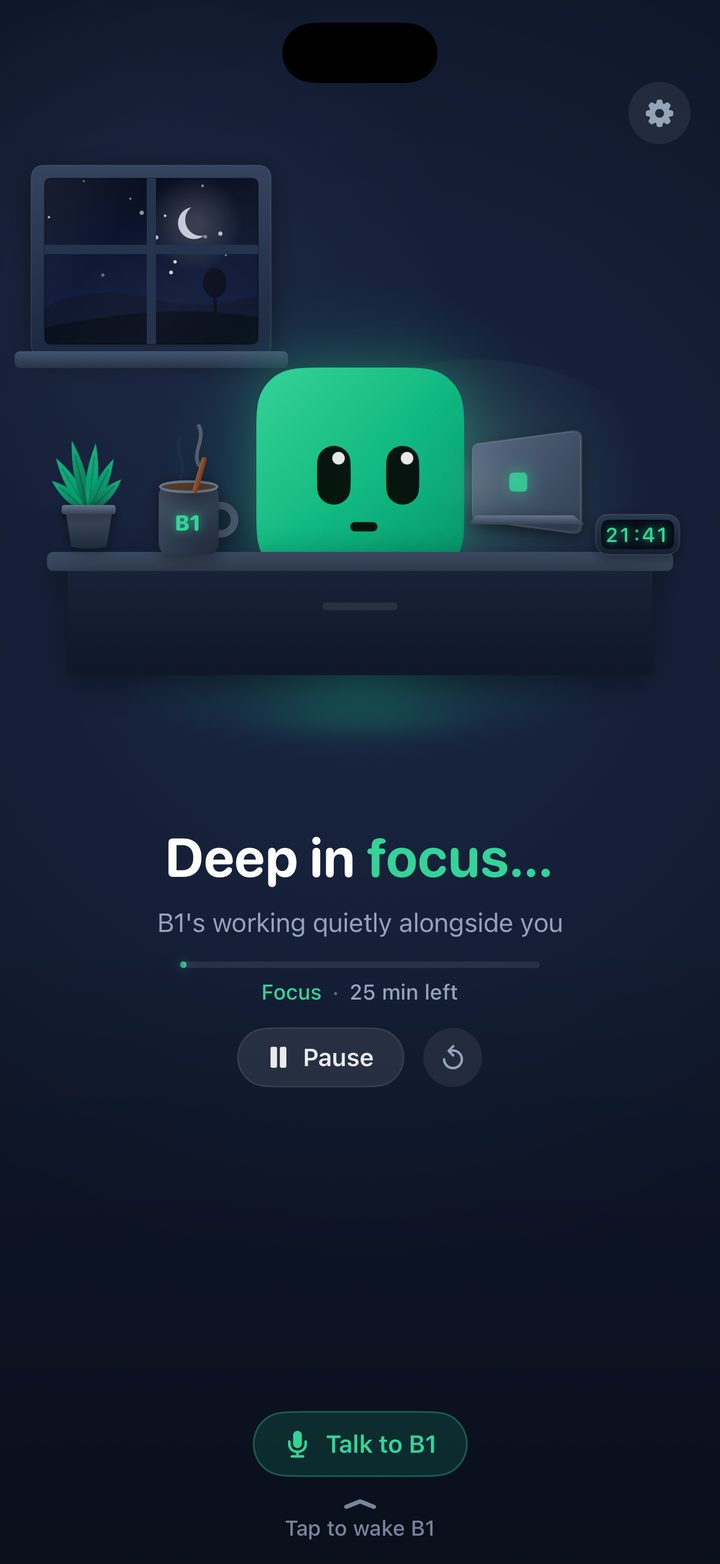
The app on an iPhone: B1 at a desk with a laptop, a plant and a mug, the words Deep in focus, a focus timer with 25 minutes left, and a Talk to B1 button.

The Desk scene, with its focus timer. Tap Talk to B1 and speak; B1 talks back.
You can see how it's going.

No spinner, no dots. B1's face tells you what the AI is doing, and reacts when you tap, stroke, tilt or shake.

Thinking

Looks up and away while your question is with the AI.

Talking

The mouth moves in time with the words as they arrive.

Pleased

A happy moment when the answer is done.

Puzzled

If something fails, B1 says what happened in one plain line.

Handy, not just a pretty face.

B1 is a proper assistant. It knows the time, can check the weather, look things up, keep your list and read your day back to you. Each of these is yours to switch on or off.

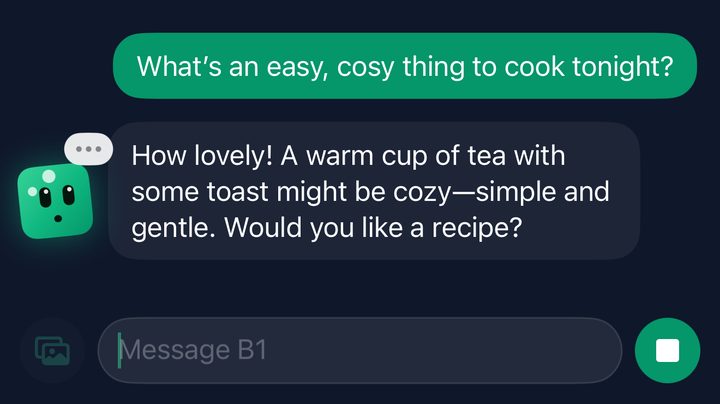
A chat in the app: someone asks what is an easy, cosy thing to cook tonight, and B1 answers beside its reply.

It knows the day and the time

Every chat knows today's date, the time and your time zone, so "what's the date a week on Friday?" gets a straight answer.

Weather, when you ask

Ask about the weather or what to wear and B1 answers from Apple Weather. It's off until you switch on Real weather, and only your rough location goes to Apple.

It can look things up

With OpenAI, Claude or Gemini connected, B1 can search the web and lists its sources as links. Searches use your own key, and there's a switch to turn them off.

A to-do list with reminders

Say "remind me to take my tablets every day at 8" and it's on your list, with a nudge at the right time. Daily, weekday, weekly and monthly repeats. The list never leaves your iPhone.

Your calendar, if you allow it

Let B1 see your calendar and it can tell you what's on today and mention an appointment that's about to start. Read only: B1 never changes your calendar. Off until you switch it on.

A morning briefing

Once a morning, a short hello with today's appointments and what's on your list.

Talk out loud

Speak and B1 speaks back. Your speech is turned into words on your iPhone, and the answer is read in Apple's voices.

Photos, code and tidy answers

Attach a photo for brains that can read one. Replies show headings, lists and code properly, and you can copy, share, stop or ask again.

B1 is an AI. Replies can be wrong, so check anything important.

Eight scenes for when you're not chatting.

Prop your phone up and B1 keeps you company, dressed for the real weather outside and for special days. Tap Talk to B1 in any of them to chat out loud. All eight scenes are free.

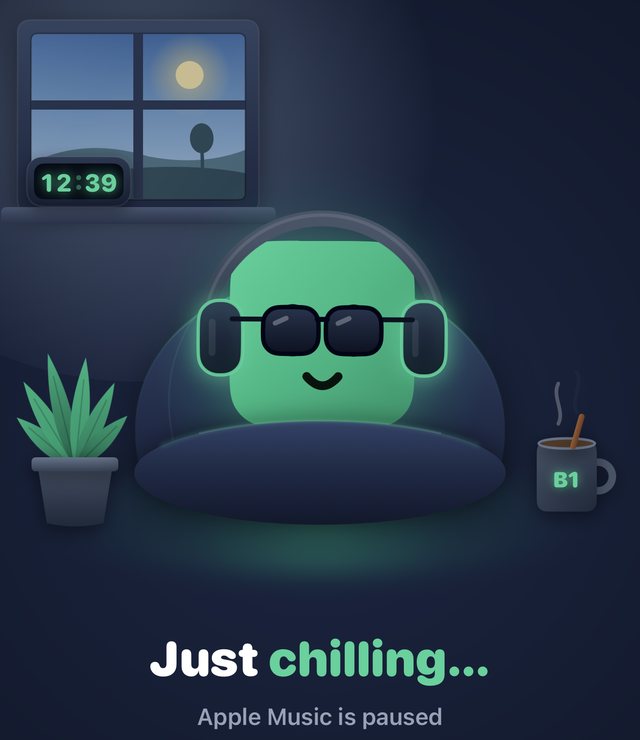
B1 in headphones and sunglasses on a beanbag by a window: Just chilling

Music

Listens along to what you're playing.

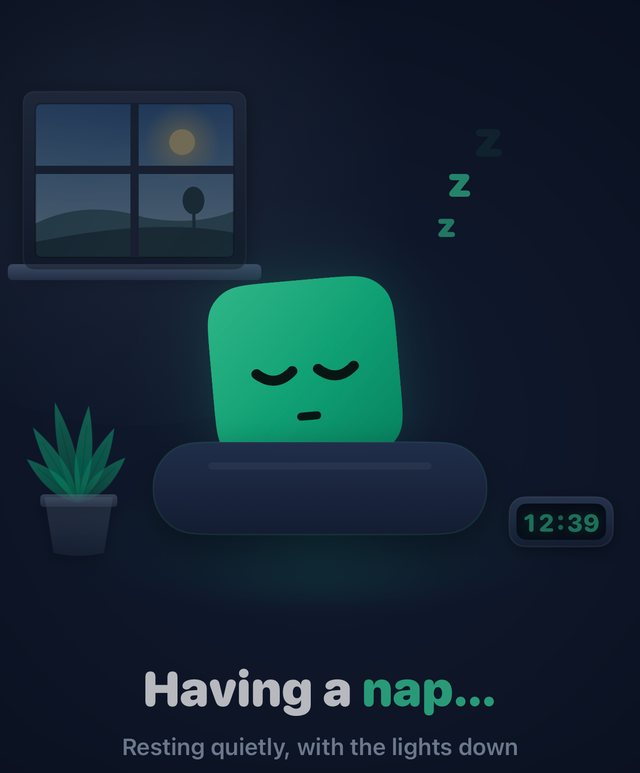
B1 asleep on a cushion with z's floating up: Having a nap

Sleep

Dozes off, and dreams.

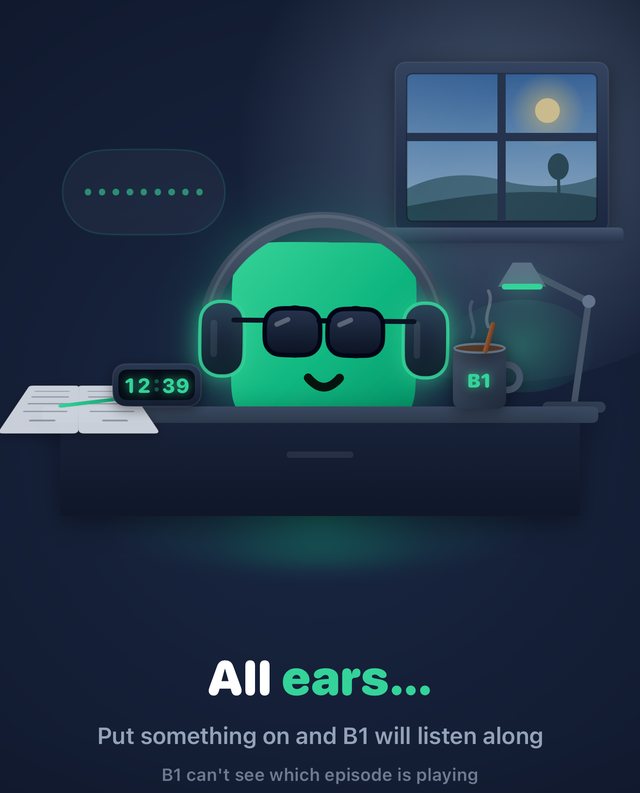
B1 in headphones at a desk with a mug and a lamp: All ears

Podcast

Settles in for an episode.

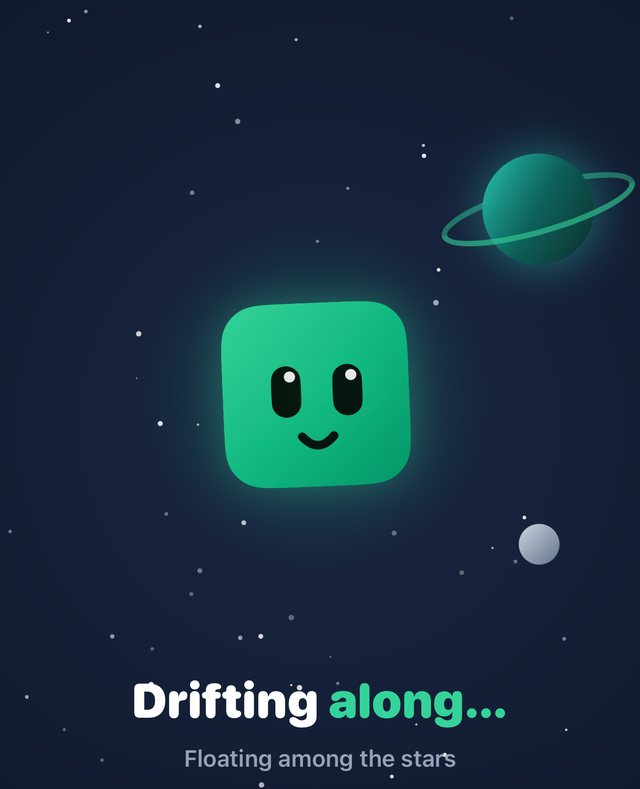
B1 floating among stars beside a ringed planet: Drifting along

Space

Drifts among the stars.

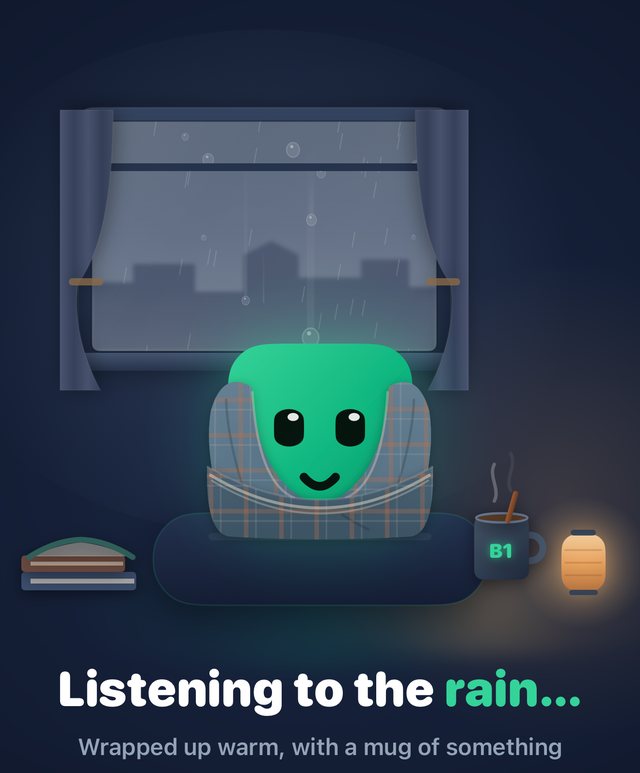
B1 wrapped in a blanket in front of a rainy window: Listening to the rain

Rainy

Under a blanket, watching the rain.

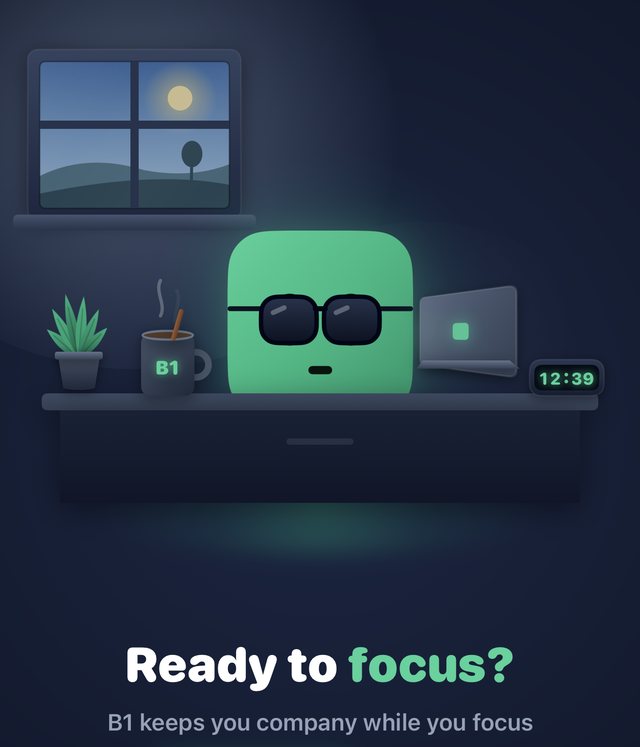
B1 at a desk with a laptop, a mug and a clock: Ready to focus?

Desk

A focus timer to work beside.

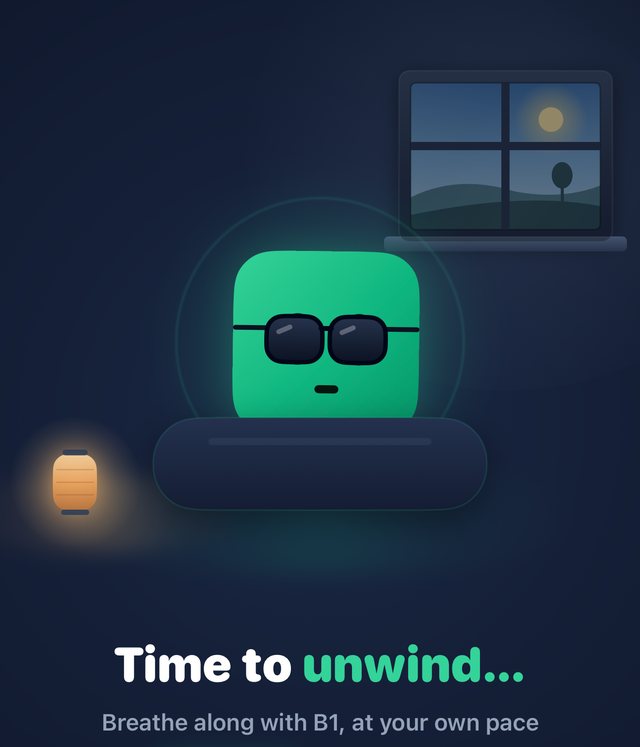
B1 on a cushion beside a lantern, with a breathing ring round it: Time to unwind

Wind-down

Slow breathing before bed.

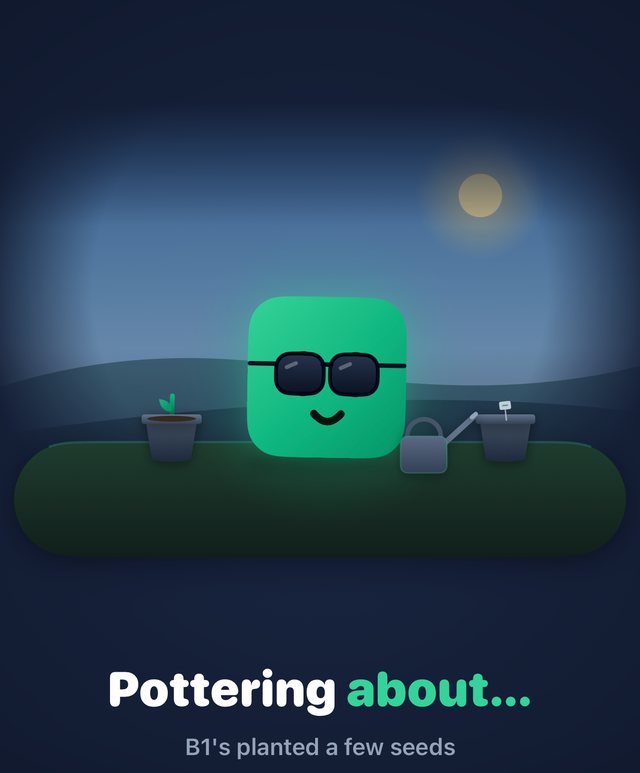
B1 in sunglasses between two flower pots and a watering can: Pottering about

Garden

Grows a little every day.

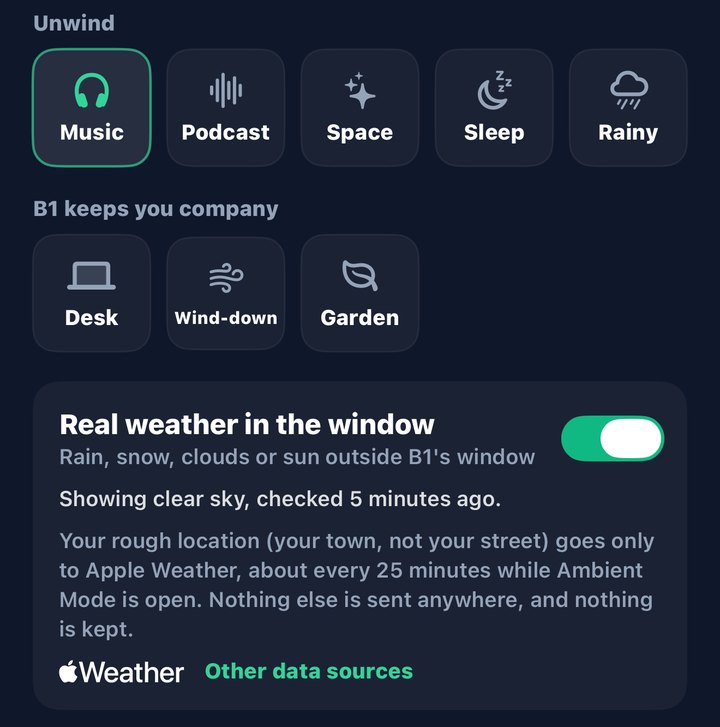
The scene picker in the app: Music, Podcast, Space, Sleep, Rainy, Desk, Wind-down and Garden, and a switch for real weather in the window.

The real sky in B1's window.

The window always shows the real time of day: dawn, daylight, dusk or a night sky with the moon. A little clock beside it shows the real time.

Switch on real weather and the window shows rain, snow, cloud or sun as it is where you are, and B1 dresses for it: a scarf when it's cold, sunglasses in bright sun, an umbrella in the rain. Only your rough location goes to Apple Weather.

The scenes do things too: Desk has a focus timer, Wind-down guides slow breathing, Sleep has dreams, and the Garden grows a little each day.

On your Home Screen. And in the car.

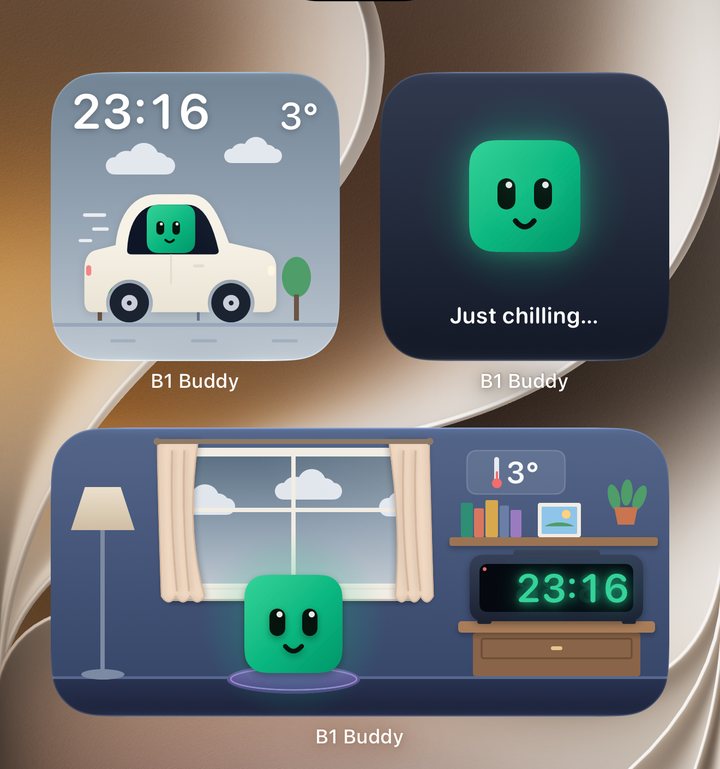
Free widgets put B1 where you'll see it without opening the app. Tap one and you're in Ambient Mode.

An iPhone Home Screen with three B1 Buddy widgets: B1 driving a little car under a cloudy sky with the time and 3 degrees, B1's face saying Just chilling, and B1 in a room with an alarm clock and clouds through the window.
Three widgets on a Home Screen: the car, the mood and the room.

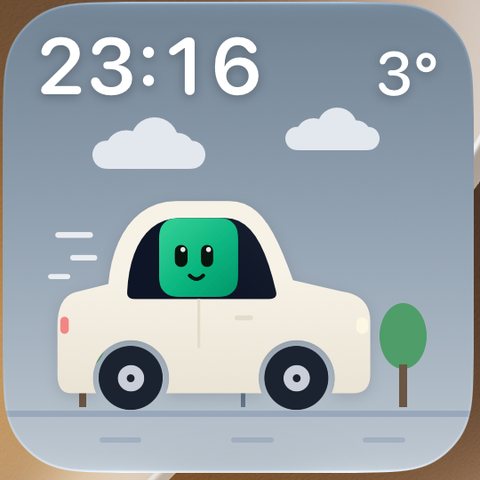
B1 in the car

A small dashboard made for CarPlay: B1 driving a little car, with the time and the temperature. The sky follows the real sunrise and sunset, and the real weather if you've switched it on. Nothing to read but the time and the temperature.

The B1 in the car widget: B1 driving a small cream car past a tree, with the time top left and 3 degrees top right, under clouds.

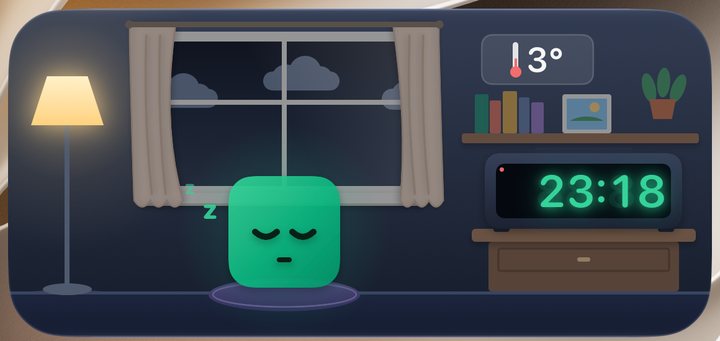
B1's room

B1 beside an alarm clock, with the real sky and weather through the window. Small or medium.

The B1's room widget after dark: B1 asleep beside a lit lamp, an alarm clock showing 23:18, and clouds in a night sky through the window.

Mood and bedside clock

B1's mood for the time of day on your Home Screen and Lock Screen, and a bedside clock for StandBy.

Live Activities

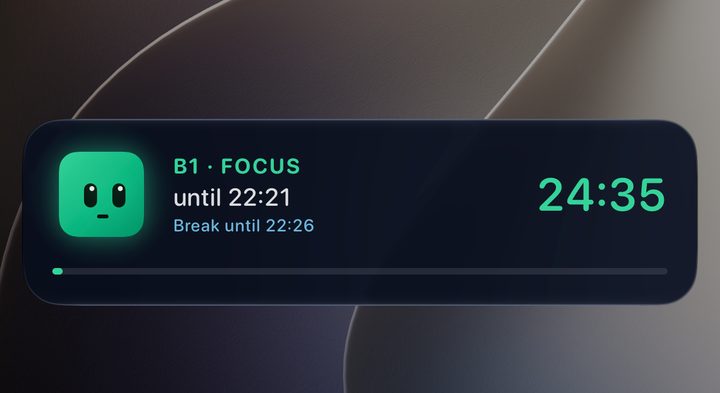
The focus timer and what's playing show on your Lock Screen and in the Dynamic Island.

A Lock Screen showing B1's focus timer as a Live Activity: 24 minutes 35 seconds left, with a break after.

One face. Any brain.

B1 works the moment you open the app. For the best answers, bring your own AI key: it takes a minute, and B1 can then use the most capable models there are.

The best way to use B1

Bring your own key.

A key (an "API key") lets B1 talk to a cloud AI on your behalf: OpenAI, Claude from Anthropic, Google Gemini, or any service that speaks the OpenAI format. Answers are sharper, longer and better informed than a phone can manage alone.

You pay that service directly for what you use, and nothing goes to us. Your key stays in the iPhone's Keychain and is sent only to the service it belongs to.

Never done this? How to get a key, step by step

  1. 1Make a key
    On the service's own website. Each one explains how.
  2. 2Paste it into B1
    Under Add a brain. B1 checks that it works.
  3. 3Pick a model and chat
    Switch brains whenever you like, even in the middle of a chat.

Free, and ready from the start

On your iPhone

Apple Intelligence runs on the phone itself. No key, nothing to set up, and your words stay on your device. It is a small model: good for quick questions, with a short memory.

Your own kit

On your computer at home

Ollama or LM Studio over your home network, or your own VPN when you're out. No key needed, and nothing leaves your own machines.

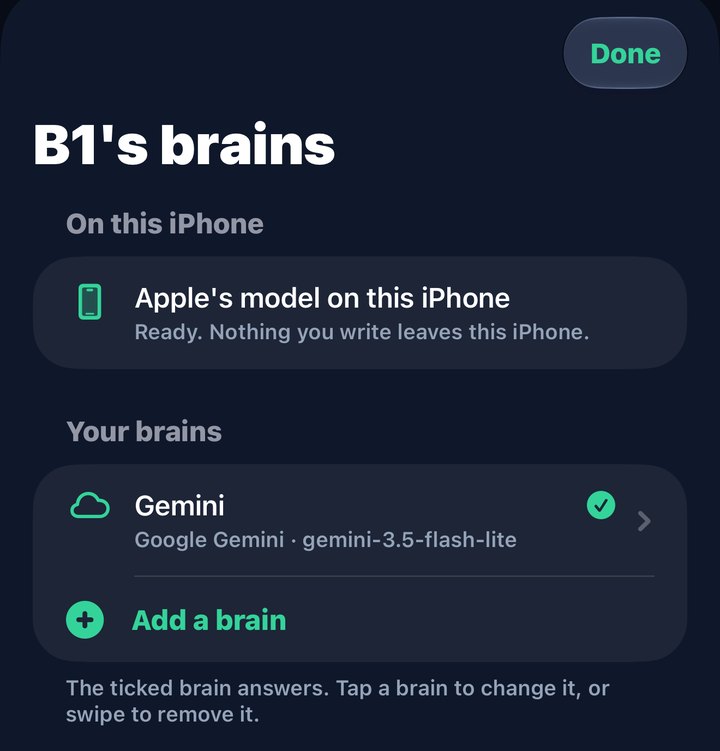
The B1's brains screen: Apple's model on this iPhone is ready, with Gemini added below it.
Apple's model is ready from the start. Add others when you want them.
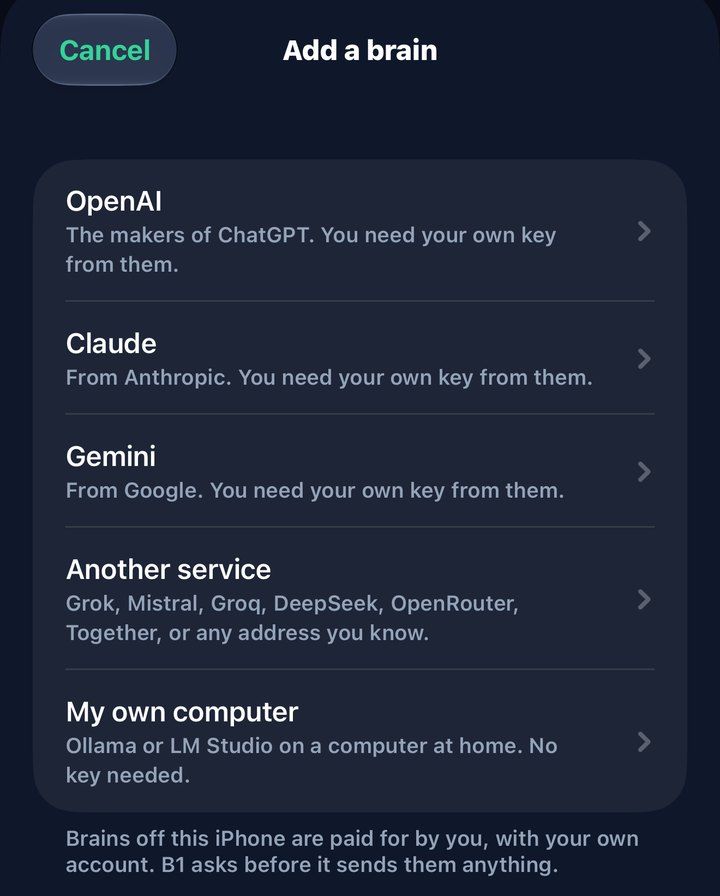
The Add a brain screen listing OpenAI, Claude, Gemini, another service, and my own computer.
Paste a key from the service, or point B1 at your own computer.
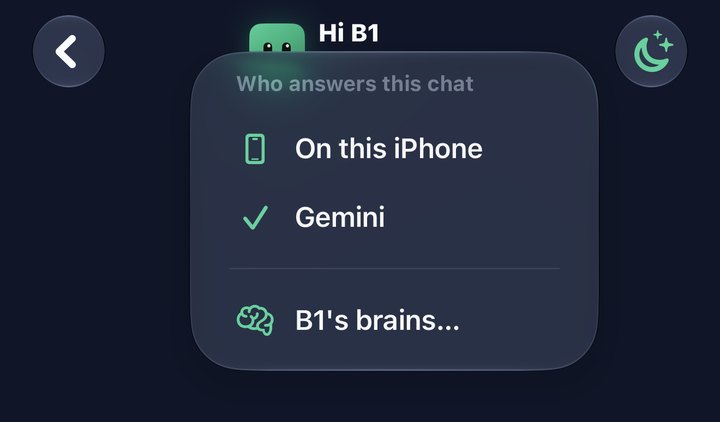
The top of a chat with a menu open titled Who answers this chat, offering On this iPhone or Gemini.
Change who answers in the middle of a chat.

Prefer to talk? Tap Talk to B1 and have the whole conversation out loud. Your speech is recognised on your iPhone, and B1 answers in a voice.

B1 is free. More looks in the shop.

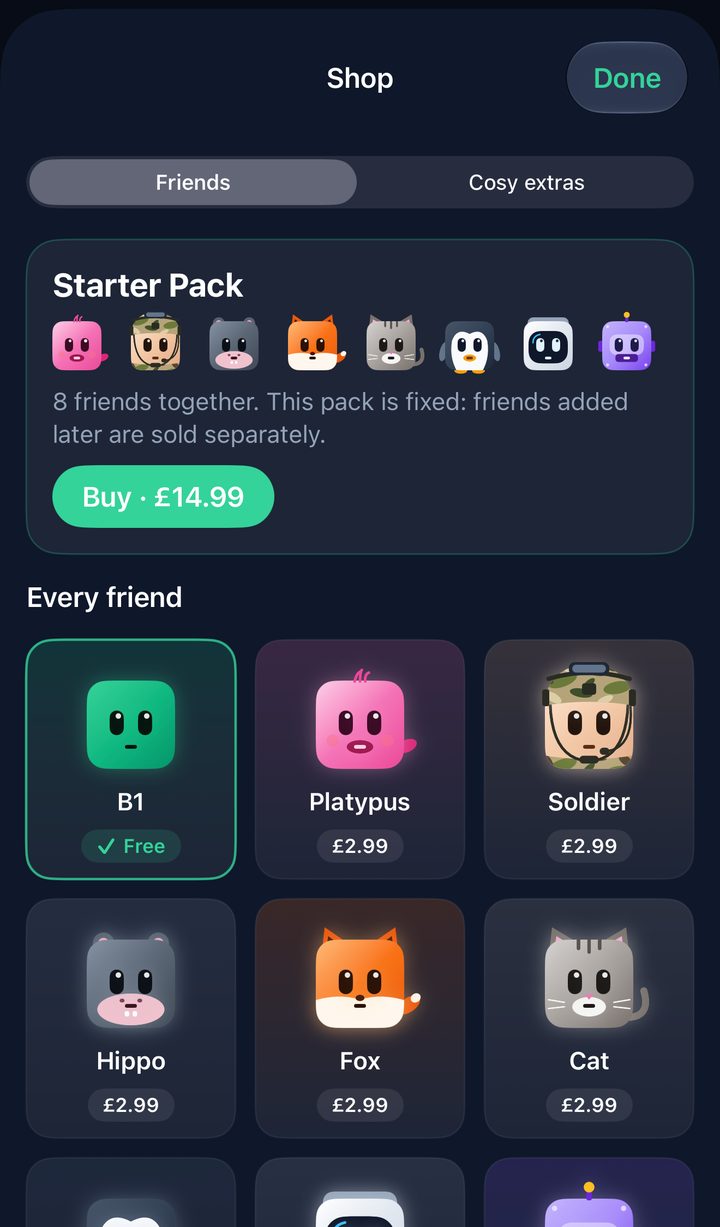
Chat, voice, the eight scenes and every widget cost nothing. Other avatars are bought once and kept for good, and each works everywhere B1 does.

B1

Free

Platypus

£2.99

Soldier

£2.99

Hippo

£2.99

Fox

£2.99

Cat

£2.99

Penguin

£2.99

Astronaut

£2.99

Robot

£2.99

The shop in the app: the Starter Pack of eight avatars for £14.99, then each avatar at £2.99, with B1 marked free.

Buy one, or the pack

Each avatar is £2.99. The Starter Pack has all eight for £14.99. Your avatar shows everywhere: in chat, in every scene and in the widgets.

Try before you buy

Everything in the shop can be previewed, and tried in a scene for 30 seconds, before you pay anything.

Bought once, kept for good

No subscription. Family Sharing is on for everything. Nothing you need is locked: chat, voice, the eight scenes and the widgets are free.

Cosy extras

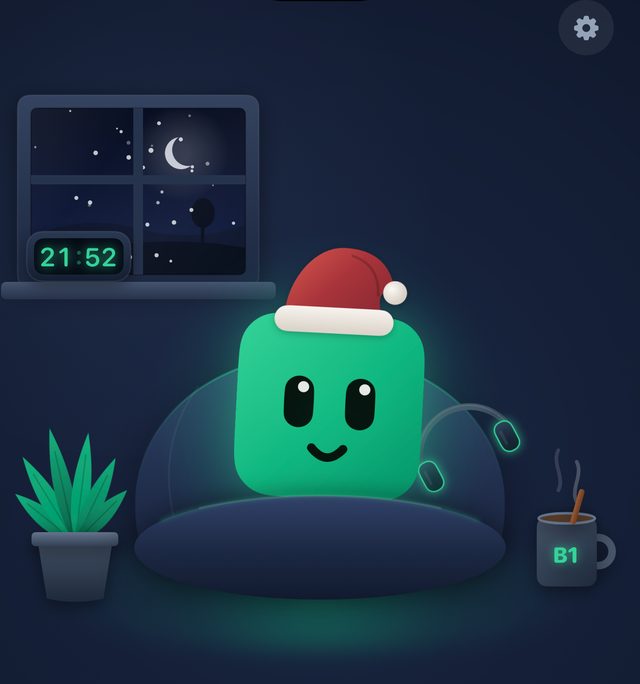
Festive snow, £0.99: gentle snow past B1's window in December, or all year if you like. It never falls over real rain or real snow.

B1 in a Santa hat on a cushion, with snow falling past the window.
Festive snow, in the Music scene.

Lots more on the way.

New things arrive with app updates through the year, a pack at a time. None of what follows is on sale yet, and none of it is needed: it is all for fun. The pictures here are drawings, not screenshots.

41 more avatars, in ten packs

Winter, Garden, Snack, Spooky, Pets, Farm, Wild, Ocean, Space and Legends. A pack of four is £9.99, or £2.99 each. Each has its own dreams and its own way of talking.

Clothing packs

Party Pack
Explorer Pack
Royal Pack
Summer Pack
Winter Woollies
Sports Pack

Six packs, each with a hat, glasses, something for the neck and something to hold: a crown and cape, a safari hat and compass, a bobble hat and lantern. Four pieces for £2.99. They fit every avatar and can be mixed. What B1 wears for the real weather stays free.

Ten new scenes

Beach
Campfire
Treehouse
Reef
Rooftop
Library
Train

Seven places, lit by the real time of day, and three for winter: Christmas, Snowy cabin and Sleigh ride. £2.99 each. A crackling fire for the cosy scenes is coming too. The eight scenes the app starts with stay free for good.

No account. No tracking. No server of ours.

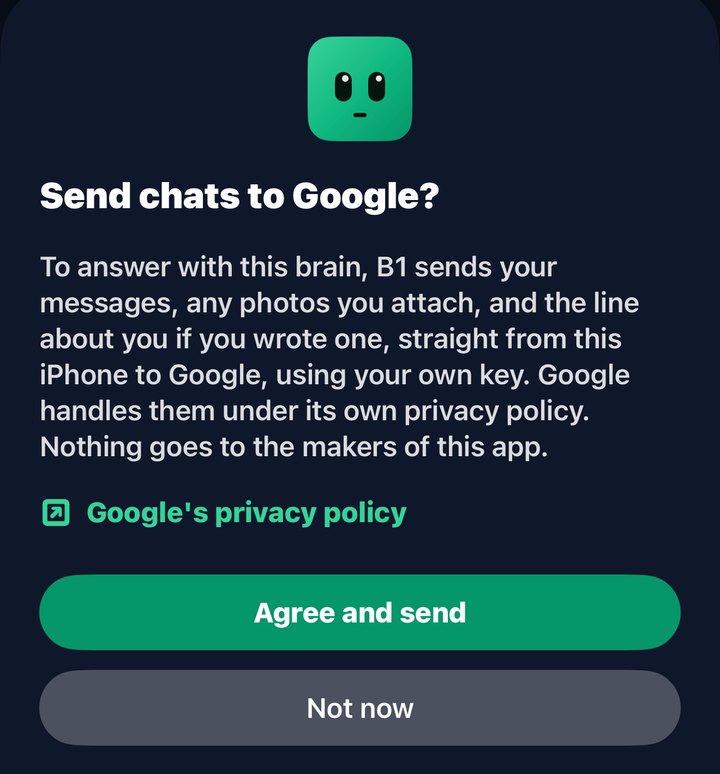
Your chats are stored on your iPhone. Before anything is sent to a cloud AI, B1 tells you who it goes to and what is sent. And B1 is an AI, and says so.

Get B1 Buddy on the App Store
The app asking Send chats to Google? It says what is sent, links to Google's privacy policy, and offers Agree and send or Not now.